AutoEq headphone correction
Search 3,985 bundled, AutoEq-derived profiles for headphones, earphones and IEMs. Measured correction stays separate from your custom EQ.
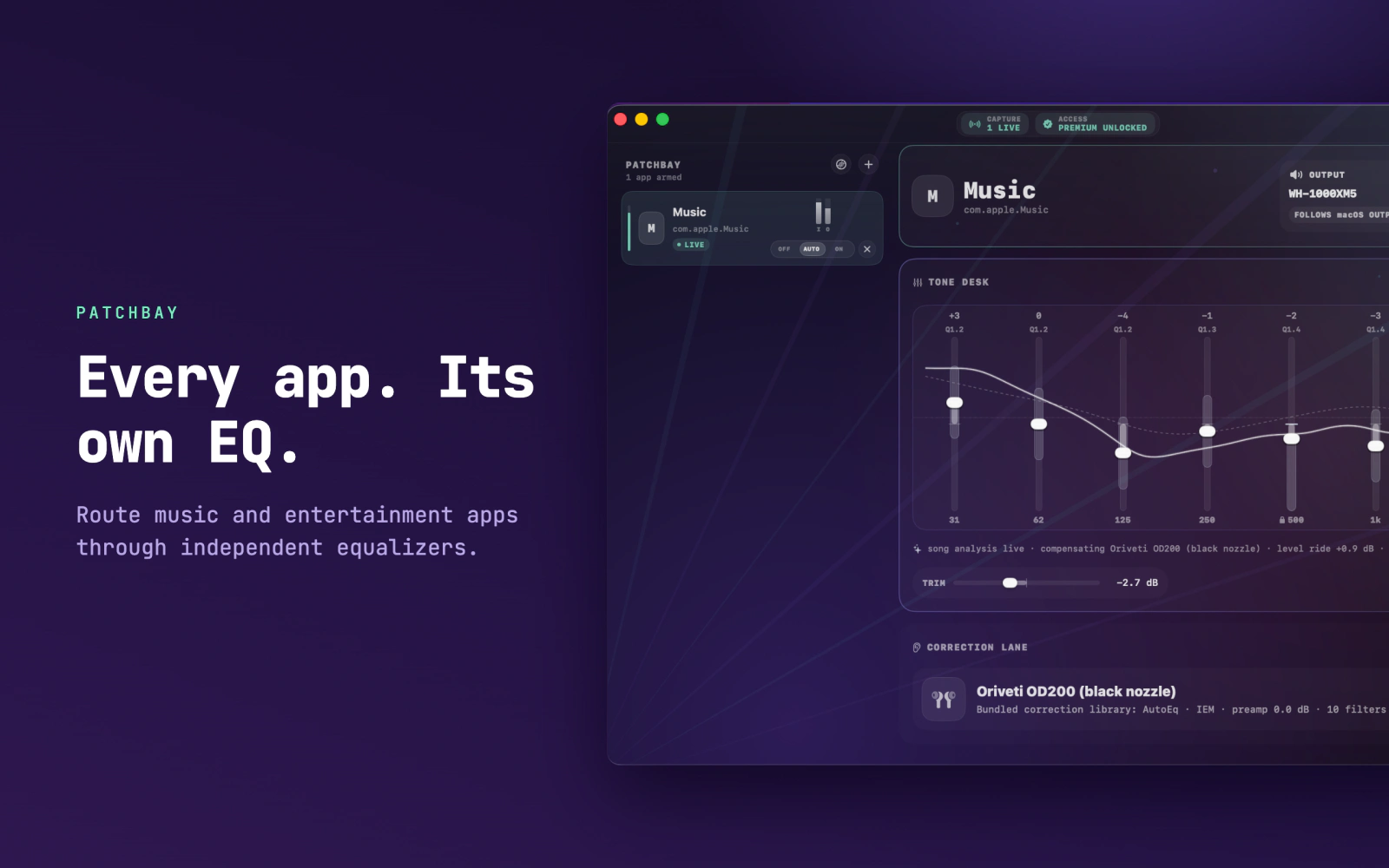
Give Apple Music, Spotify, video players and other supported apps their own 10-band EQ, output level, device route and headphone correction.

The outcome
Keep a warmer curve for Spotify or Apple Music, clearer dialogue for Podcasts or VLC, and a different setup for another supported route. Changing one app does not replace the settings you chose for another.
Three strong capabilities
Search 3,985 bundled, AutoEq-derived profiles for headphones, earphones and IEMs. Measured correction stays separate from your custom EQ.
Let EQK make gentle adjustments during a song, by moment, section, or one static curve. Completed song profiles can be remembered; manual controls remain available.
Play FLAC, ALAC, WAV and MP3 files through the same equalizer and headphone correction without System Audio Recording permission.
Compatibility and limits
The direct build needs macOS 14.6 or later and works on Apple silicon and Intel. Dedicated apps such as Apple Music, Spotify, TIDAL, Podcasts and VLC work best. EQK needs macOS permission to capture and adjust app audio.
Normal browser tabs and some protected audio cannot be isolated as separate routes. EQK includes per-app volume control for supported routes, but it is not a universal mixer for every system sound.
Privacy
EQK does not upload audio, song names, app names or your files. The direct build uses kuja.dev for licence checks and updates. Optional product analytics contain only coarse app events and can be turned off and deleted in EQK settings.
Yes. EQK gives supported Mac apps separate routes, so Spotify, Apple Music and other supported players can each keep their own 10-band EQ, output level, correction profile and output device.
EQK includes per-app output trim for supported audio routes, alongside separate EQ and output-device settings. It is not a universal mixer for every system sound or individual browser tab.
Yes. EQK includes 3,985 bundled AutoEq-derived correction profiles for headphones, earphones and IEMs. You can also import compatible AutoEq or EqualizerAPO parametric EQ text files as editable presets.
Yes. The built-in Local Library plays FLAC, ALAC, WAV and MP3 files through the same equalizer and headphone-correction controls without needing System Audio Recording permission.
Direct download
Download EQK 3.2, use the complete app for 14 days, then buy one lifetime licence for up to 2 Macs.
7.5 MBSigned & notarizedmacOS 14.6+Apple silicon and IntelSelf-serve recovery
Lifetime licence
Enter your email and choose an available offer.
Razorpay handles the payment securely. Your licence key is emailed after payment. Use it on up to two Macs.
Prefer Apple billing?
The Mac App Store currently has EQK 2.2. Apple handles its payment and updates. It requires macOS 15.6 or later.

From Aakash
Try the complete direct version for 14 days. If it does not behave as expected on your Mac, tell me what happened and I’ll help you work through it.